Your next map,
with a plan.
Choose a map and mode. Bloons+ plays the recording: places towers, buys planned upgrades and advances rounds. Follow its actions and result in the app.
Explore the workflow →Bring your routes, tower progress and map runs together. Bloons+ gives your BTD6 setup a clearer, calmer home.
In active development See the setup guide →
✓ Route hero
✓ Tower upgrade paths
○ Mode & variation
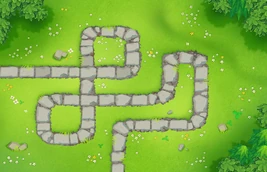
Interface concept with BTD6 map art. Not live gameplay data.
Less digging through files. More visibility into what your next run needs.
Choose a map and mode. Bloons+ plays the recording: places towers, buys planned upgrades and advances rounds. Follow its actions and result in the app.
Explore the workflow →
ACCOUNT OVERVIEWSee which map medals you have earned, which tower upgrades you have unlocked and how your achievements are progressing.
YOUR DESKTOP, YOUR SPACELet BTD6 play inside a Windows VM while you use your main desktop. Start a map replay, pause it or inspect its results from Bloons+.
Activity, checkpoints and failure evidence help you inspect a replay and report a specific problem.
Browse, import, export and edit recorded strategies. Keep the source and practical limits visible as the project evolves.
Explore the repository ↗Install Bloons+ on Windows and complete dependency setup.
Prepare the guest, sign in through Steam and open your owned copy of BTD6.
Check a specific route first. Watch placement, upgrades and the final result before a longer sweep.
Bloons+ is actively being developed. Route availability is not a victory guarantee. Boss execution and the complete tower auto-unlock loop are unfinished.
Read the implementation status ↗A better overview. A little less busywork.